
Real-Time Rack Status On Your Phone
Free App ∙ iPhone and Android
The Kraken Rack Monitor app shows each vacuum mount’s status and alerts you if one drops below the alert threshold while you drive.
Requires the Kraken Rack Monitor hardware device. No subscription. No in-app purchases.


Free UPS shipping · Taxes/import fees included · 30-day returns
At A Glance
Know Which Mount Needs Attention
The app gives you a simple visual overview of the monitored vacuum mounts. Green means the mount is within the normal range. Blinking red means attention is needed.
Alerts While Driving
Live Mount Status
See each monitored vacuum mount directly in the app.
Get alerted if a mount drops below the alert threshold.
Connection And Battery Info
Check Bluetooth signal strength and device battery level before and during the drive.
While You Drive
Use Maps, Music, and other apps
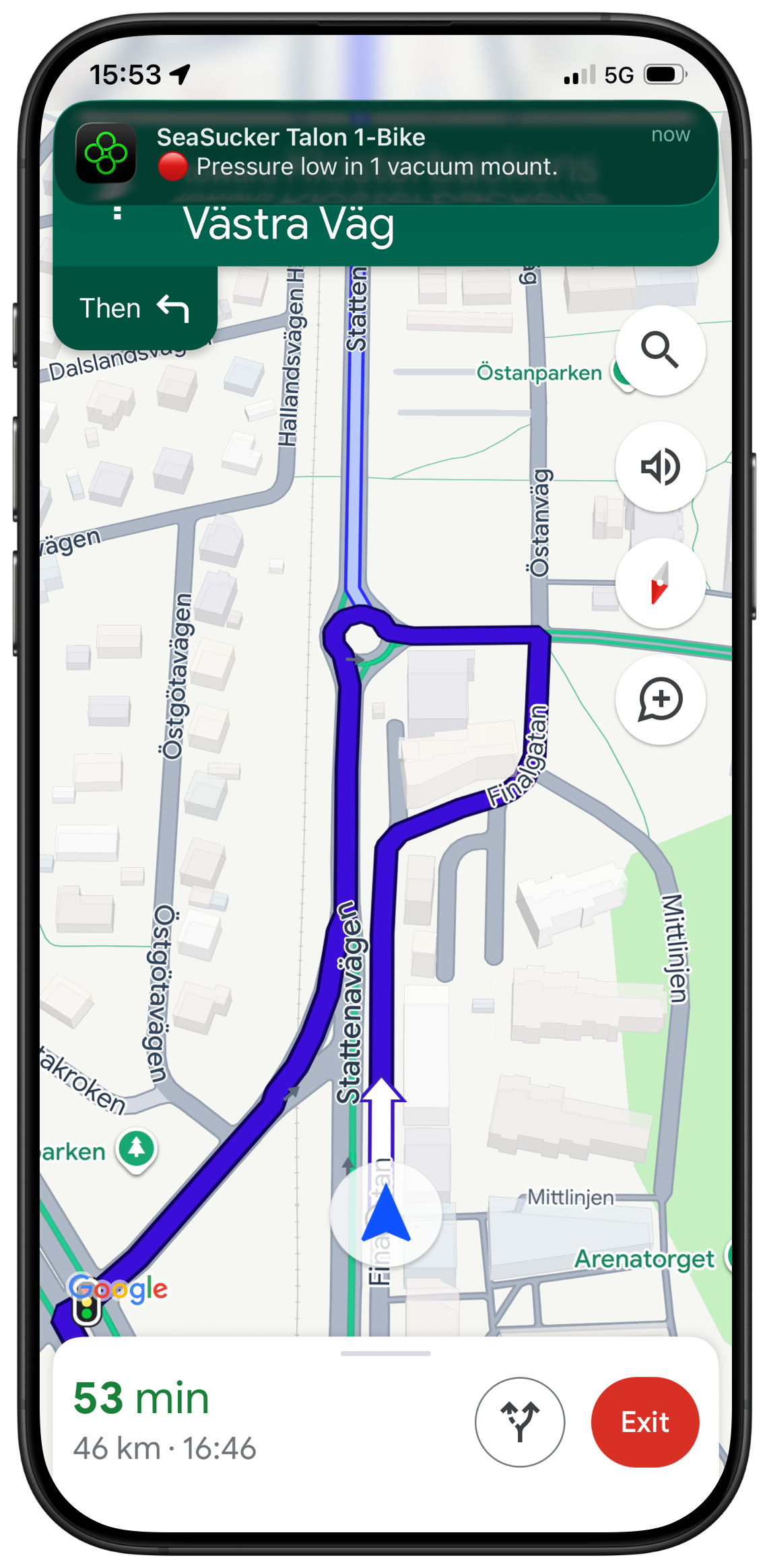
Kraken can run in the background, so you can use navigation, music, or other apps while monitoring your rack. For the most reliable monitoring experience, keep the app active whenever possible.
Navigation
Use maps while Kraken monitors.
Music
Alerts can still notify you while you listen to music.

Notifications tell you how many mounts need attention.
Sound Alarm
Clear audible warning when attention is needed.
Notifications
No Mobile Data Required
Bluetooth-Connected
The app communicates directly with the Kraken hardware over Bluetooth. You do not need internet, mobile data, or Wi‑Fi for the monitoring connection while driving.
The app connects with the Kraken device wirelessly over Bluetooth.
No Internet
An internet connection is not needed to use the app.
Bluetooth
The app works with iOS 15.1 or later.
Android
The app works with Android 12 or later.
iPhone & iPad

“The app is so easy to use! The monitor connects seamlessly! It’s amazing!”
FAQ
App Questions
-
Yes. The app only works with a Kraken Rack Monitor device. It receives status updates from the hardware installed on your rack and cannot monitor vacuum mounts by itself.
-
Yes. The Kraken Rack Monitor app is required to view mount status and receive alerts. It is the main interface for the rack monitor.
-
Yes. The app is free to download and use with your Kraken Rack Monitor. There are no subscriptions or in-app purchases.
-
Currently, the Kraken Rack Monitor app supports one monitor at a time. If you use multiple SeaSucker racks simultaneously, you’ll only be able to monitor one rack at a time. Multi-monitor support is something I’d like to add in the future.
-
The app connects to the Kraken Rack Monitor device via Bluetooth. Open the app, switch on the device, and it connects automatically.
-
No. The app communicates with the Kraken Rack Monitor device over Bluetooth, so you do not need internet, mobile data, or Wi-Fi while monitoring your rack.
-
Yes. If a vacuum mount drops below the alert threshold, the app can lower your music volume and play an audible alarm.
Alert behavior may depend on your phone’s volume, focus mode, Bluetooth audio setup, and operating system settings.
-
No. The app can run in the background while you use navigation, music, or other apps.
For the most reliable monitoring, it’s recommended to keep the Kraken Rack Monitor app active whenever possible, since background behavior can be affected by your phone’s operating system and power-saving settings.
-
Yes. When the app is open, it prevents the screen from automatically locking, making it suitable for dashboard mounting and at-a-glance monitoring.
Need the Hardware?
The app requires a Kraken Rack Monitor device installed on a supported rack.
30-day returns · 1-year warranty