
How Kraken Rack Monitor Works
Built for SeaSucker Talon 1-Bike racks
Kraken Rack Monitor checks your vacuum mounts while you drive and alerts you in real time if one starts losing vacuum.
Free UPS shipping · Taxes/import fees included · 30-day returns
The Basic Idea
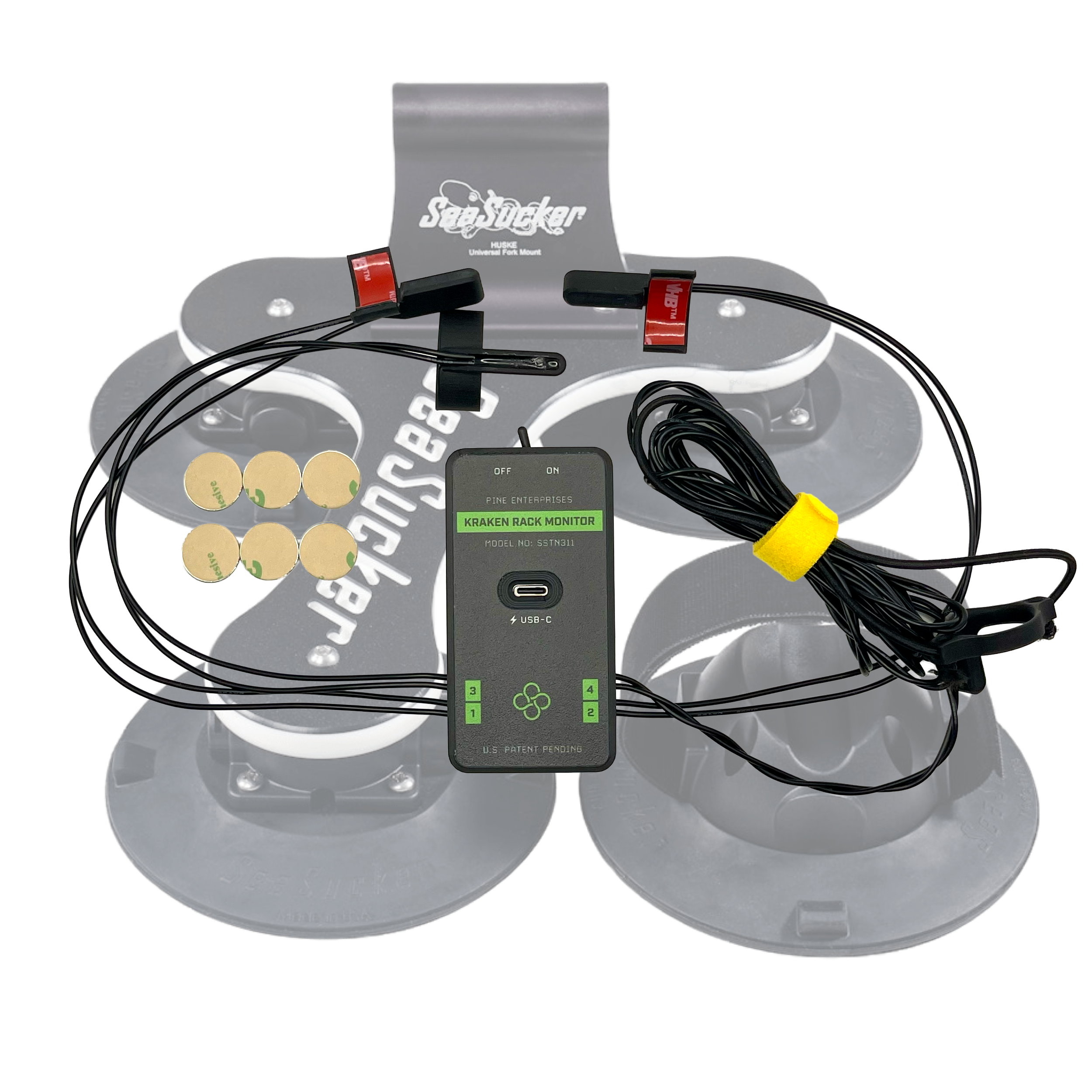
Kraken uses small sensors and magnets attached to the SeaSucker Talon mounts. If a vacuum plunger starts moving past a the alert threshold, Kraken detects the change and sends an alert to the app.
It Watches The Vacuum Indicators For You
01
Sensors Track Mount Status
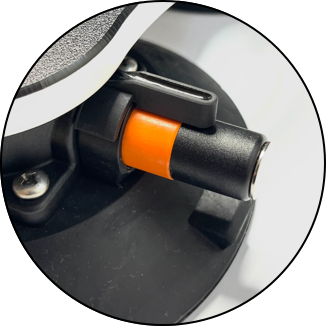
Sensors are positioned near the vacuum mount indicators using pre-applied 3M adhesive.
02
Kraken Connects To Your Phone
Switch on the device, open the app, and it connects automatically via Bluetooth.
03
Get Alerted If Status Changes
If one mount starts losing vacuum, the app alerts you so you can stop and check the rack.
Installation
Install Once. Use The Rack Normally.
Kraken is designed to stay with the rack during normal use. The rear sensor uses an elastic strap so it can be detached when removing the rack from the car.
01
Attach The Kraken Device
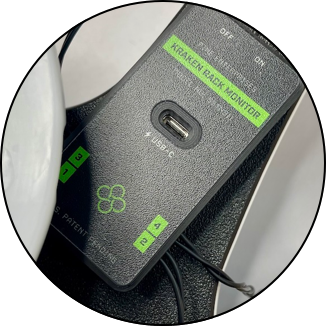
Mount the device under the rack using pre-applied 3M adhesive. No drilling, tools, or permanent rack modifications.
02
Attach The Front sensors And Magnets
Attach the sensors and magnets near the vacuum indicators so Kraken can detect indicator movement.
03
Attach The Rear Sensor
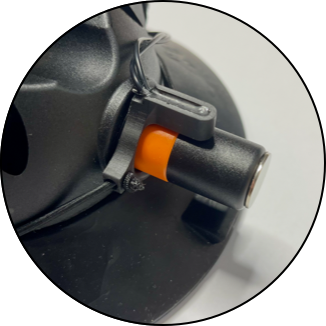
Use the elastic strap for the rear wheel mount sensor. It can easily be removed when taking the rack off the car.
04
Connect With The App
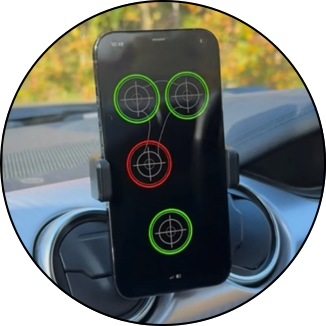
Open the Kraken Rack Monitor app, switch on the device, and check that you see the each mount’s status.
The App
See Each Mount’s Status At A Glance
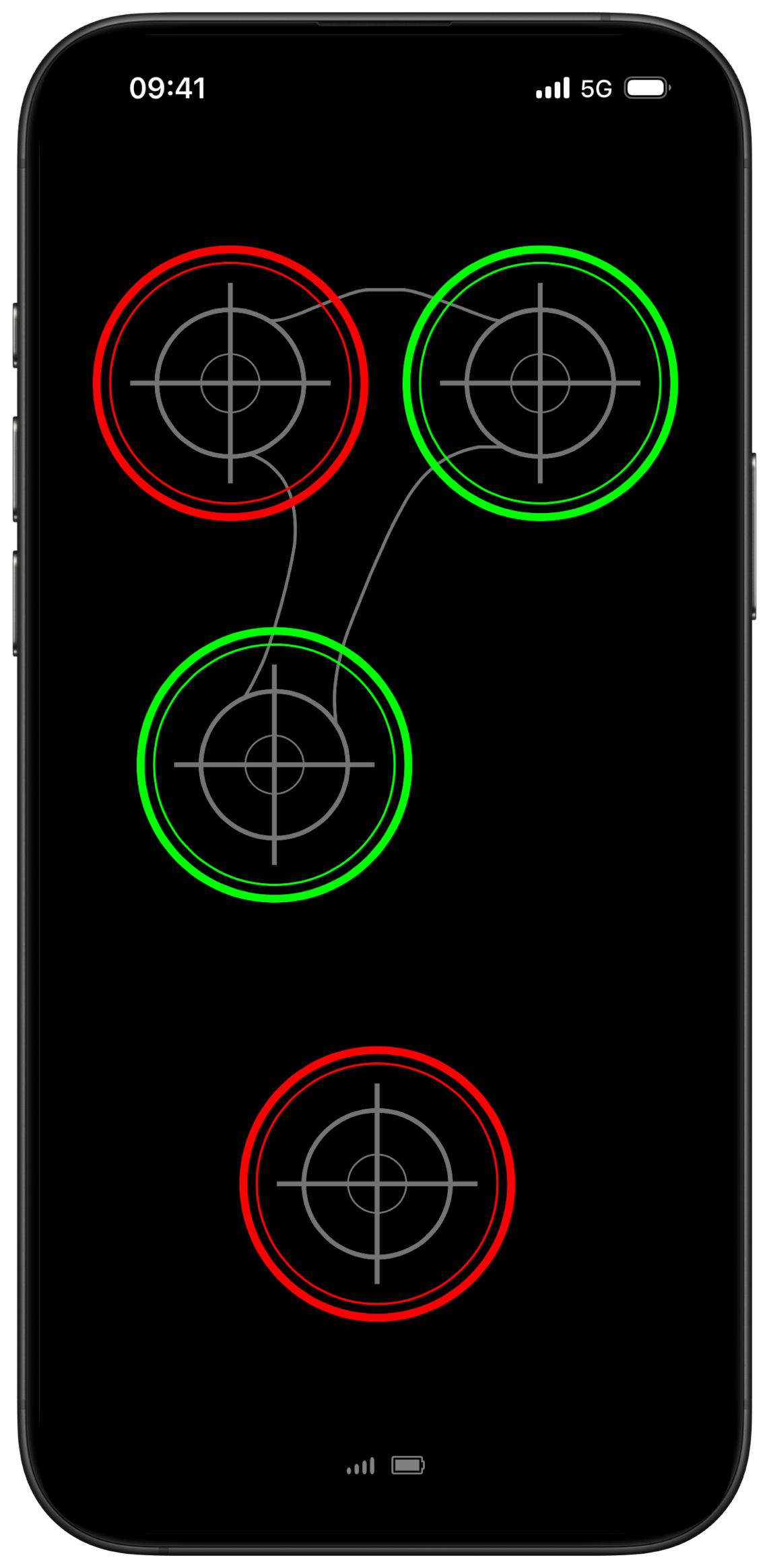
The app shows the status of each monitored vacuum mount. Green means normal. Red means attention is needed. If a mount changes status while driving, the app will alert you.
✅ Works with iPhone and Android
✅ Runs while you use navigation or music
✅ Alerts if a mount drops below the alert threshold



“The install went smooth and easy, in less than 10 minutes I was able to add peace of mind to the SeaSucker system”

Frequently Asked Questions
-
Kraken Rack Monitor uses sensors and magnets attached to the vacuum mounts on your rack. A small amount of plunger movement is normal, but if one moves past the alert threshold, Kraken detects it and sends an alert to the app.
-
Kraken Rack Monitor connects to your phone via Bluetooth. Open the Kraken Rack Monitor app, switch on the device, and it connects automatically.
-
No. Kraken Rack Monitor uses Bluetooth to communicate with your phone, so it does not require internet, mobile data, or Wi-Fi while monitoring your rack.
-
Yes. The app can run in the background while you use navigation, music, or other apps. You’ll receive alerts if a mount drops below the alert threshold.
For the most reliable monitoring experience, it’s recommended to keep the Kraken Rack Monitor app active whenever possible, since background behavior can be affected by your phone’s operating system and power-saving settings.
-
The app alerts you so you can stop and check the rack. Kraken Rack Monitor is a monitoring aid, not a replacement for proper rack installation, inspection, or maintenance.
-
Kraken Rack Monitor is designed for vacuum-mounted racks. The current version supports the SeaSucker Talon 1-Bike Rack only.
Support for additional vacuum rack models may be added in the future. If you’d like support for another rack, you can request it without any obligation.
-
The Kraken device, sensors, and magnets are attached to the rack using pre-applied 3M adhesive. The rear sensor is attached with an elastic strap so it can be removed when taking the rack off the car.
No drilling, tools, or permanent rack modifications are required.
-
The built-in battery lasts up to 24 hours of continuous use on a single charge. It recharges fully in up to 3 hours via USB-C. Charging cable not included.
-
Yes. The Kraken Rack Monitor app is available for both iPhone and Android.
Ready to add more confidence to your next trip?
Easy to install. Built for the SeaSucker Talon 1-Bike rack. Drive with more awareness and peace of mind.
30-day returns · 1-year warranty
Need installation details? Read the full manual.